

Touch Typing Guide: Finger Placement, Posture and Practice
Touch typing means pressing keys by feel instead of searching for every letter. The goal is not to type quickly on the first day. The goal is to build reliable finger movements that gradually become automatic.
Begin with the home row
Place the left-hand fingers on A, S, D, and F. Place the right-hand fingers on J, K, L, and semicolon. The index fingers rest on F and J, where most keyboards provide small raised bumps. These bumps help you return to the home row without looking down.
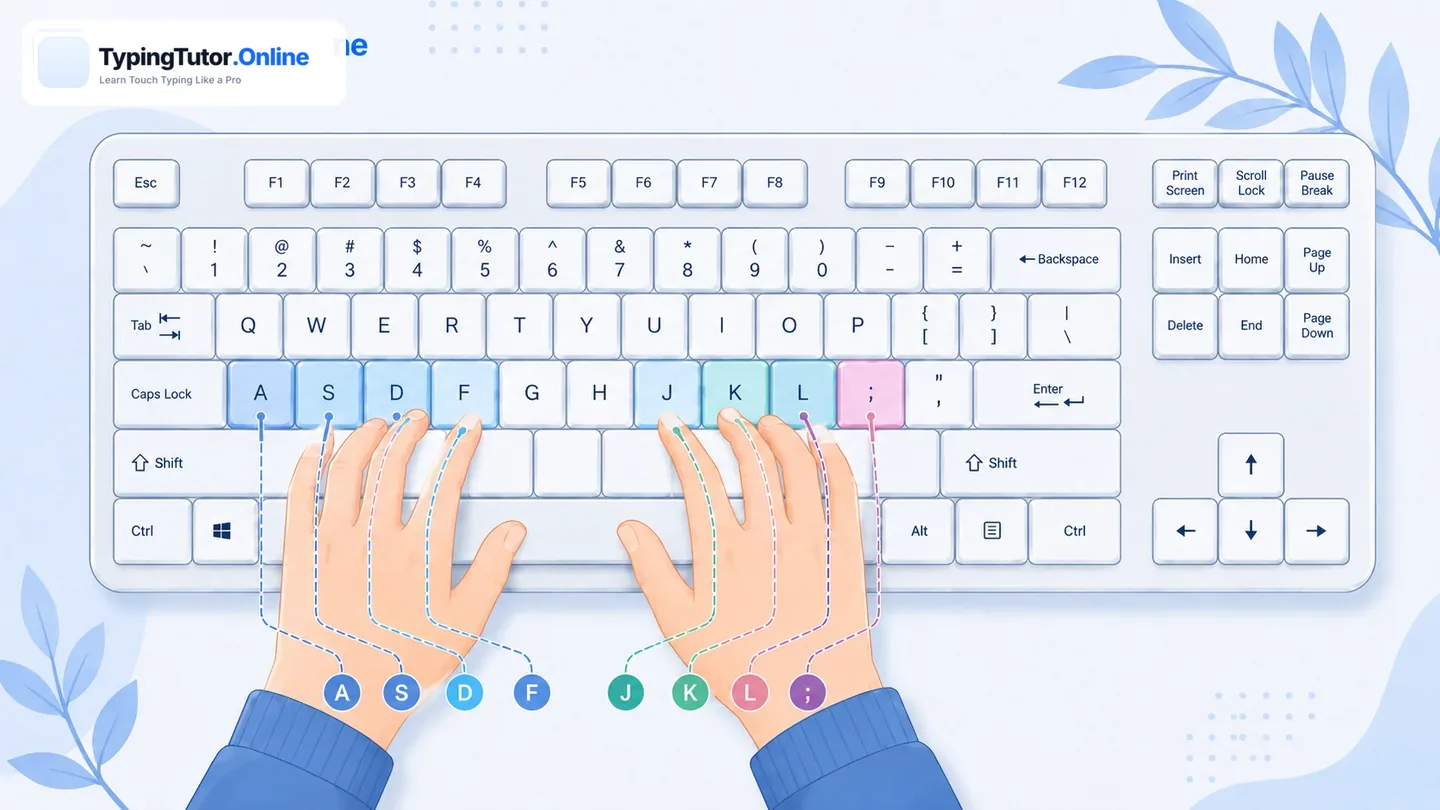
After reaching for another key, return the finger to its home-row position. Keeping the hands anchored reduces unnecessary movement and improves consistency.
Use the correct finger for every key
Each finger controls a small vertical area of the keyboard. Index fingers cover more keys near the center, while little fingers handle outer keys such as Q, P, A, semicolon, Z, slash, and Shift. For capital letters, use the Shift key with the opposite hand. For example, type capital A with the right Shift key and capital Y with the left Shift key.
Keep a relaxed typing posture
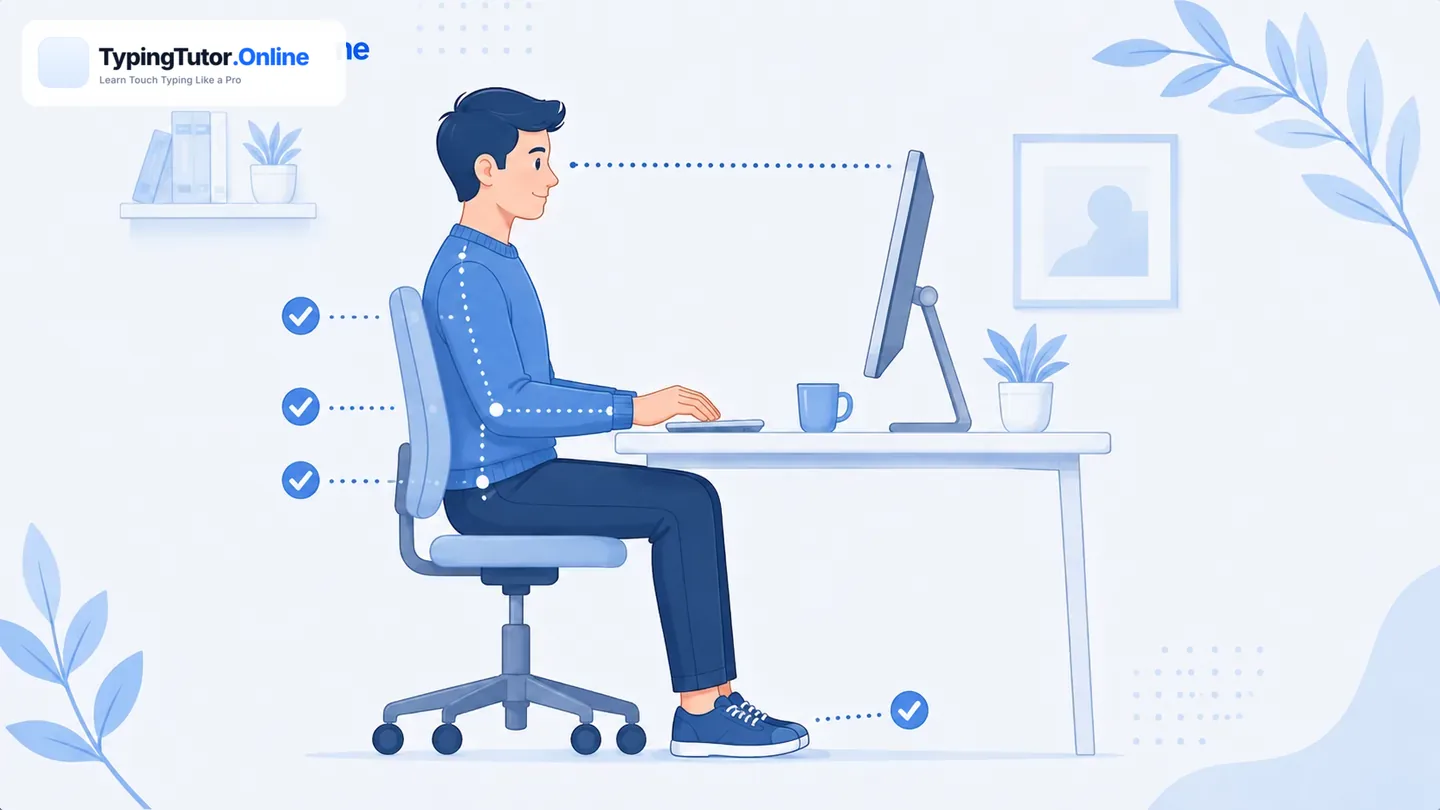
- Sit with the screen at a comfortable viewing height.
- Keep shoulders relaxed and elbows close to the body.
- Let the wrists remain neutral instead of bending sharply upward.
- Press keys lightly; excessive force slows movement and creates tension.
- Take a short break when accuracy falls or the hands become tired.
Accuracy should come before speed
Fast typing with frequent corrections is not efficient. Beginners should first aim for stable accuracy—usually around 90% or higher during early drills, then gradually move toward 95% or more. Speed normally improves when correct movements become easier and hesitation decreases.
A practical daily routine
- Warm up for two minutes with known keys.
- Practise the current lesson for five to ten minutes.
- Repeat difficult combinations slowly.
- Finish with a short typing test or Smart Review.
- Check weak keys in Statistics before the next session.
Short daily practice is usually more productive than one long session followed by several days without typing. The tutor’s guided course adds keys gradually and continues reusing earlier keys so the learner develops full-keyboard control.
After learning the keyboard, try typing without looking at the keyboard or plain-text typing without highlight. For typing without a timer, strict no-Backspace practice, or custom text, use the Custom Typing Test Studio.
Touch typing questions
Should I cover my hands while learning?
You do not have to cover them, but try to keep your eyes on the screen. Use the F and J bumps to recover the home-row position.
How long does touch typing take to learn?
The timeline differs by learner. Regular accurate practice matters more than rushing through lessons. Basic confidence may develop in weeks, while high speed and consistency take longer.
Should beginners practise for hours?
No. Ten to fifteen focused minutes can be enough for a useful daily session. Stop when the hands become tense or errors increase sharply.