

Hand Pain While Typing: Beginner Mistakes That Can Increase Strain
When hand pain appears during typing practice, small technique mistakes can become much more noticeable because touch typing repeats the same movements many times. The goal is not to find one “perfect posture.” It is to remove unnecessary force, extreme joint angles, tension, and excessive practice so your hands can move comfortably.
If pain is severe, persistent, associated with numbness, tingling, swelling or weakness, or you are unable to hold things normally, stop typing and get medical advice. Ergonomic changes are not a substitute for diagnosis.
Mistake 1: hitting every key harder than necessary
Beginners often equate a firm key press with accuracy. In reality, extra force usually adds tension without improving the keystroke. Try to make the movement smaller: touch, press, release, return.
Mistake 2: keeping the wrists bent upward
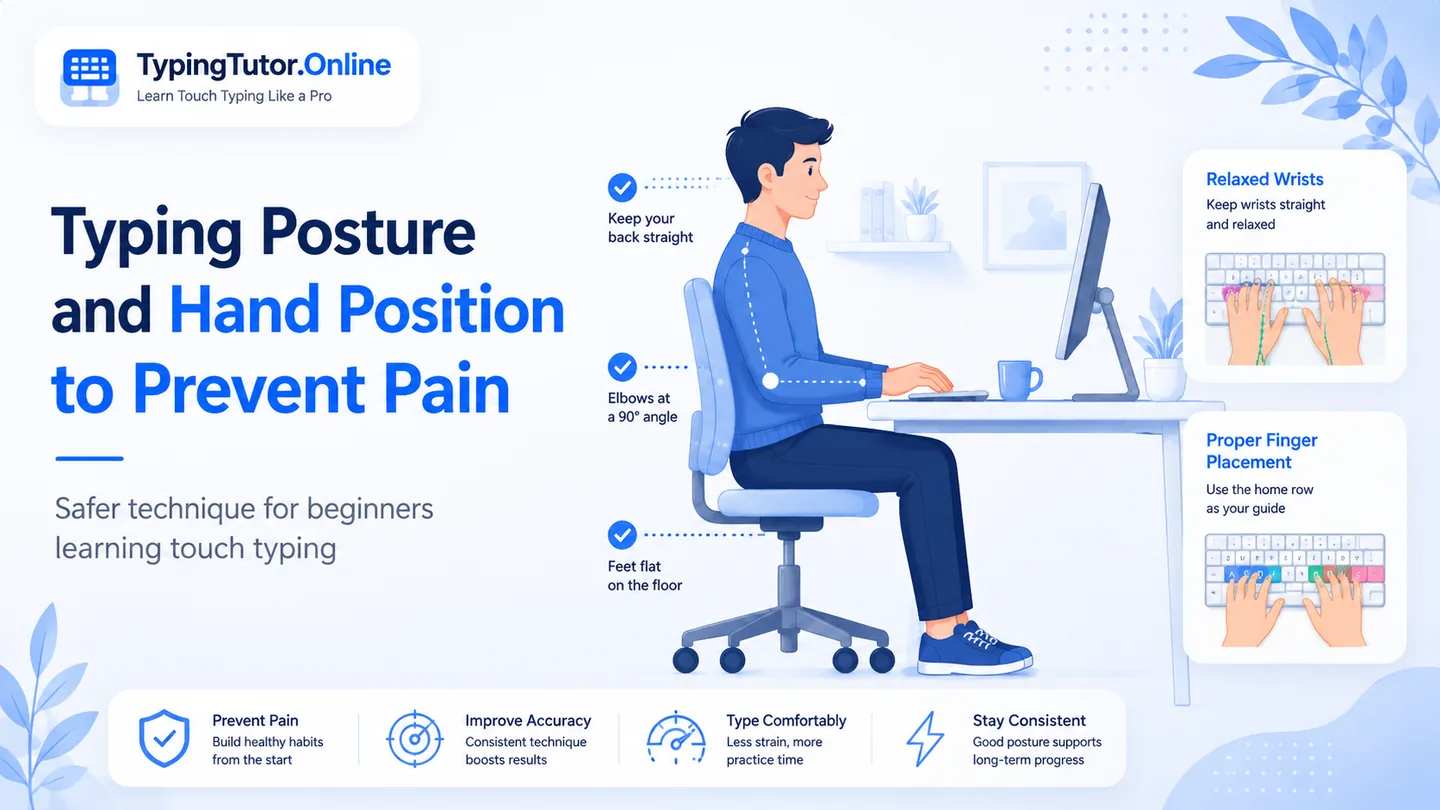
If the keyboard is high or the chair is low, the wrists may bend upward throughout the lesson. If the keyboard is too low or far away, you may bend down or reach forward. OSHA workstation guidance recommends keeping the hands, wrists and forearms in a straighter, neutral alignment.
Mistake 3: planting the wrists while the fingers reach
Resting heavily on the wrist while actively typing can make the fingers reach farther than they need to. If you use a palm rest, use it mainly during pauses; while typing, let the hands move freely and avoid compressing the wrist.
Mistake 4: stretching the pinky finger
Pinky finger pain while typing can be made worse when the learner locks the hand in place and stretches the little finger as far as possible. A small hand movement can be more comfortable than a rigid reach. The same principle applies to thumb pain while typing: the thumb should not be held under constant tension just because it is responsible for the spacebar.
Mistake 5: chasing speed before the movement is stable
Speed creates more repetitions per minute. If the movement pattern is tense, trying to increase WPM can simply repeat the tense movement faster. Build accuracy and relaxed rhythm first; speed becomes a useful goal after the keystrokes feel controlled.
Mistake 6: staring at the keyboard and collapsing posture
Looking down repeatedly can pull the head and upper body forward. A learner may then raise the shoulders, push the keyboard away, or rest more weight on the hands. Use the on-screen keyboard and finger guidance instead of repeatedly looking down at the physical keyboard.
Mistake 7: treating a 15-minute daily goal as one continuous block
A daily goal is a target for total active practice, not a command to sit through discomfort. You can divide practice into shorter blocks. The right amount depends on the individual, the keyboard, prior hand use, and how the hands feel that day.
Mistake 8: ignoring hand cramps while typing
Hand cramps while typing, a hand that feels increasingly tight, or fingers that feel difficult to control are signs to stop and reset rather than keep repeating the motion. Hydration, rest, and a more relaxed setup may help ordinary fatigue, but recurring cramps or weakness deserve professional advice.
A quick reset checklist
- Shoulders down and relaxed.
- Elbows near the body.
- Wrists straight rather than sharply bent.
- Keyboard close enough to avoid reaching.
- Fingers gently curved.
- Light key touch.
- Eyes on the screen.
- Break before discomfort escalates.
The beginner typing guide explains early fatigue and why pain affecting everyday hand activities is a reason to stop and seek guidance.
Frequently asked questions
Can typing too much cause hand pain?
Repetitive activity can contribute to hand and wrist discomfort in some people. However, pain has many possible causes, so significant or persistent symptoms should not be self-diagnosed as “typing strain.”
What if my thumb hurts while typing?
Reduce unnecessary thumb tension, avoid pounding the spacebar, and stop if the pain continues. Persistent thumb pain or difficulty gripping needs medical advice.
Should I switch keyboards if my hands hurt?
A different keyboard may improve positioning for some people, but first check chair height, keyboard distance, wrist angle, force, and session length. Hardware alone cannot solve every cause of hand pain.
Sources and further reading
These references support the general ergonomics and symptom-safety guidance in this article.