

How to Practice Typing Without Hand Strain: A Beginner Routine
The best typing routine is one you can repeat without building unnecessary tension. Beginners often improve faster when they practise in manageable blocks, keep the hands relaxed, and stop when discomfort begins instead of trying to complete a fixed amount of time at any cost.
There is no single “safe” practice duration
People differ in age, previous keyboard use, health, workstation setup, and how much typing they already do during school or work. That is why a rigid rule such as “everyone should type for exactly 20 minutes” is not useful. Start with manageable practice, assess how your hands feel, and increase gradually only when the session remains comfortable.
Use short lessons as learning blocks, not endurance tests
A short lesson can be enough to learn one movement well. TypingTutor.Online offers shorter and adaptive lesson durations because technique matters more than simply keeping the timer running. If your hands become uncomfortable before the lesson ends, pause or stop.
Accuracy first, speed later
Trying to force speed often creates hard key presses, finger tension, and unnecessary movement. Learn the correct finger path at a pace that stays controlled. WPM should rise as the movement becomes automatic, not because you push the hands harder.
Keep a light touch
Most keyboards do not need much force. Press only hard enough to activate the key. If the hands feel as if they are “working out,” deliberately reduce the pressure and let the fingertips rebound naturally.
Count all of your daily keyboard work
A three-minute lesson is not your only hand activity. Messages, documents, coding, games, email, and browsing all add to repetitive hand use. If you have already typed heavily for work or school, your practice session may need to be shorter that day.
Take breaks before pain becomes the signal
Do not wait for severe soreness to justify a break. Pause when you notice rising tension, loss of accuracy, stiff fingers, or a tendency to hit the keys harder. Stand up, relax the hands, and change position. Resume only if the hands feel comfortable.
A practical beginner routine
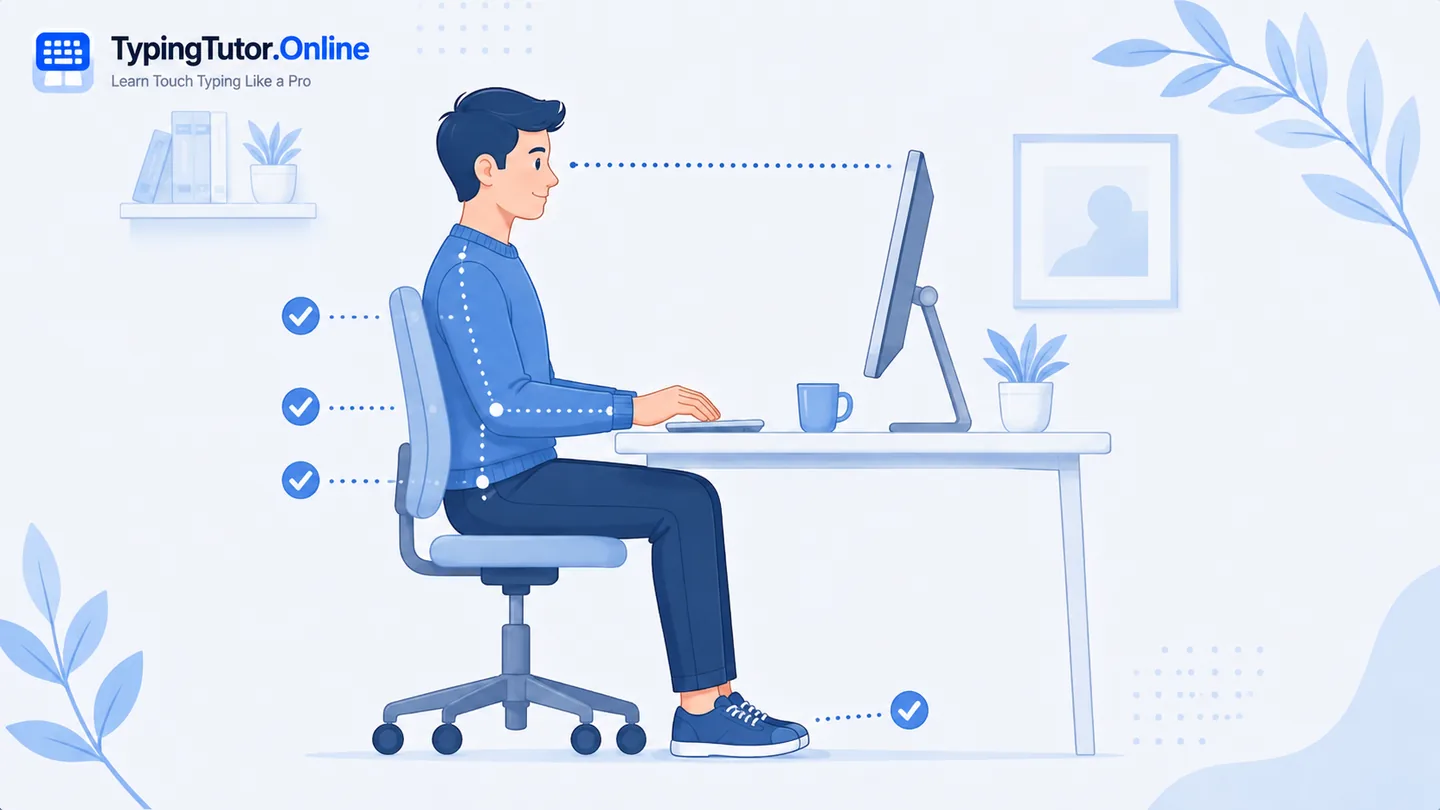
- Set up: sit with supported feet, relaxed shoulders, and wrists in line with the forearms.
- Warm up: type slowly for a short period and focus on a light touch.
- Learn one target: practise the current lesson keys without chasing WPM.
- Pause: stop if tension rises or technique starts to deteriorate.
- Review: use the result screen to decide whether to repeat or move forward.
- Finish comfortably: end the session while you still feel in control rather than waiting until the hands hurt.
What if soreness appears after practice?
Give the hands time to recover and reduce the next session. If pain persists despite rest, keeps returning, or becomes more intense, stop the training plan and speak with a healthcare professional. Do not use a typing goal or streak as a reason to ignore symptoms.
When should a beginner seek medical advice?
Seek medical advice for pain that is severe, persistent, follows injury, causes swelling, numbness, tingling, weakness, or makes it difficult to grip and perform normal tasks. Those symptoms are beyond the scope of a typing tutorial.
Practice and hand-strain questions
How long should a beginner practise typing?
There is no universal safe duration. Use manageable practice blocks, include breaks, and increase gradually only if your hands remain comfortable.
Should I keep typing through mild pain to build strength?
No. Pain is not a typing milestone. Stop, review technique and setup, and resume only when comfortable. Persistent pain needs medical advice.
Can better touch typing reduce strain?
Efficient technique can reduce unnecessary force and searching movements, but it cannot prevent every hand condition. Comfort should improve as technique improves; new or persistent symptoms still deserve attention.
Sources and further reading
These references support the general ergonomics and symptom-safety guidance in this article.