

Typing Posture and Hand Position to Prevent Pain
Good typing posture is not about sitting perfectly still. It is about arranging the chair, desk, screen, keyboard, and hands so your body does not have to fight the workstation. Neutral wrists, relaxed shoulders, comfortable elbow angles, and supported feet are a strong starting point.
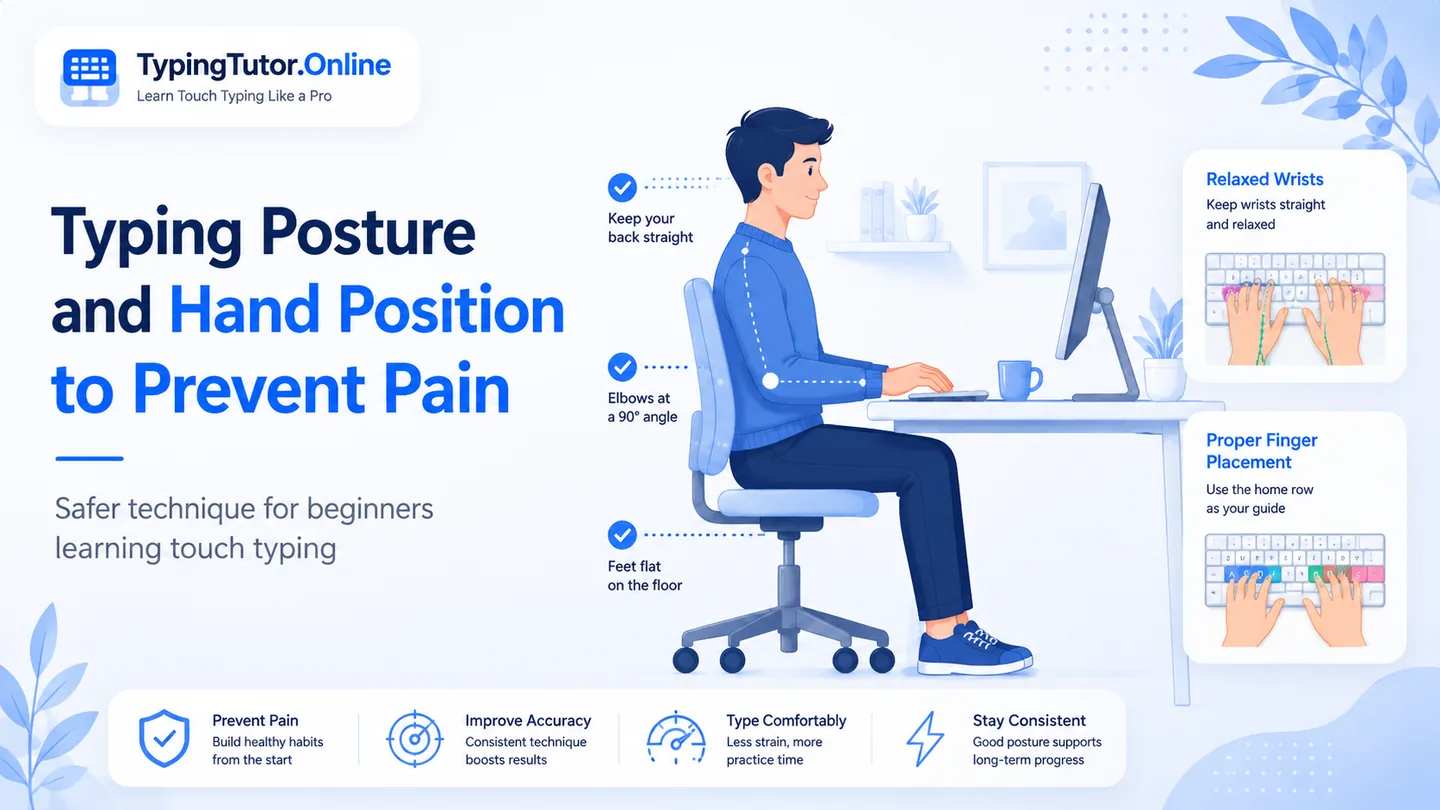
Start with the wrists
Keep the wrists in line with the forearms rather than bent upward, downward, or sideways. OSHA’s workstation guidance describes a neutral posture with the hands, wrists, and forearms straight and roughly parallel to the floor. The exact desk height varies from person to person, so adjust the chair or keyboard position rather than forcing your body to match a fixed setup.
Keep elbows close and shoulders relaxed
Elbows should stay comfortably near the torso instead of reaching forward. OSHA describes a useful elbow range of roughly 90 to 120 degrees in a neutral working posture. If the shoulders rise toward the ears while you type, lower the work surface or change the chair height until you can relax them.
Support the feet
Feet should be supported by the floor or by a footrest when the desk height requires the chair to be raised. Stable support makes it easier to keep the upper body relaxed rather than bracing through the legs or shoulders.
Put the screen where your neck can stay neutral
Keep the head balanced over the torso and avoid leaning toward the screen. Increase text size if necessary instead of moving your face closer to the monitor. Good visibility can indirectly improve typing technique because you are less likely to collapse your posture while reading.
Where should the hands rest while typing?
Use the home row as a navigation point, not as a place to press the hands down. The fingers should remain gently curved. During active typing, the hands should be free to move rather than bearing body weight on the wrist or palm rest.
Should I use a wrist rest?
A wrist or palm support can be useful during pauses, but OSHA advises that the hands should move freely while typing and that a support should contact the heel or palm of the hand rather than press directly into the wrist. The more important goal is to adjust the workstation so the wrist can remain neutral.
Keyboard angle matters
Do not automatically raise the back of the keyboard. Keyboard feet can be helpful for some setups and harmful for others. If they make the wrist bend upward, flatten the keyboard or reposition it.
Correct finger placement without tension
Touch typing usually begins with A–S–D–F under the left hand and J–K–L–; under the right hand. F and J act as tactile anchors. Finger placement is only useful when it remains relaxed: avoid spreading the fingers as wide as possible or keeping them frozen over each key.
Posture should allow movement
No posture needs to be held perfectly for hours. Shift position, stand up, and move periodically. The goal is to avoid prolonged awkward positions, not to become rigid in a “correct” pose.
Do not keep experimenting indefinitely if you have persistent pain, numbness, tingling, swelling, or weakness. Those symptoms can have causes that require medical assessment.
Typing posture questions
Should my wrists touch the desk while typing?
Try not to plant body weight through the wrists. Keep the wrists neutral and let the hands move freely. A palm support is more appropriate during pauses than as a surface to press into while typing.
Should the keyboard be tilted up?
Only if the angle helps your wrists stay neutral. If raising the keyboard makes the wrists bend upward, keep it flatter.
What is the best hand position for touch typing?
Use a relaxed home-row position with gently curved fingers and F/J as anchors. The wrists should stay in line with the forearms rather than rigidly resting on the desk.
Sources and further reading
These references support the general ergonomics and symptom-safety guidance in this article.