

What Kind of Keyboard Is Good for Typing Practice and Learning?
The best keyboard for learning to type is usually the keyboard you already have—provided its keys work reliably and it feels reasonably comfortable. You do not need an expensive mechanical keyboard, gaming keyboard, or special “typing” keyboard to learn touch typing. Good technique, consistent practice, a comfortable setup, and light key presses matter more than price.
Start with the keyboard available to you. If it works well, keep using it. If you are buying a new one for regular typing practice, favor a keyboard with a comfortable full-size key spacing, smooth and consistent keys, a light-to-moderate press, a layout you already know, and a height that lets your wrists stay neutral.
Explore AliExpress shopping options ↓
1. The keyboard you already have is usually good enough
Beginners sometimes delay practice because they think they need special equipment. That is rarely necessary. A normal laptop keyboard, office keyboard, desktop keyboard, compact keyboard, or external USB/Bluetooth keyboard can all be used to learn touch typing. The important question is not whether the keyboard is fashionable; it is whether every key registers consistently and whether you can type without forcing your hands into an awkward position.
Staying with one familiar keyboard can actually simplify the first stage of learning. Your fingers gradually learn the spacing, key travel, and tactile reference points. Once your technique is stable, adapting to other keyboards becomes easier.
2. Soft, light key action can make long beginner sessions more comfortable
For learners, I generally prefer keys that move smoothly and do not require a hard strike. A light touch encourages the habit of pressing only as hard as necessary. That can reduce unnecessary finger effort and makes it easier to keep the hands relaxed while practising.
“Soft” does not mean a keyboard must feel mushy or have almost no travel. What matters is a consistent key action that does not make you pound the keys. Many modern laptop, scissor-switch, membrane, low-profile mechanical, and quiet office keyboards can provide a comfortable typing feel. The right choice remains personal: a slightly firmer keyboard that feels controlled to you can be better than an ultra-light keyboard that causes accidental presses.
3. Newer is not automatically better—but a worn-out keyboard can make learning harder
Modern keyboards often have smoother mechanisms, quieter switches, lower profiles, and more consistent key feel than a heavily worn keyboard. That can be pleasant for practice. But age alone is not the deciding factor. An older keyboard with clean, reliable, even keys can be perfectly good. Replace or repair a keyboard when keys stick, chatter, miss presses, require noticeably different force, or have damaged keycaps—not simply because a newer model exists.
You can check key registration with our free online Keyboard Tester before deciding that a keyboard needs replacement.
4. Key spacing matters more than decorative features
A standard desktop keyboard normally has familiar full-size spacing between key centers. OSHA notes that appropriate keyboard size and key spacing help accommodate users, and gives typical center-to-center spacing ranges of about 18–19 mm horizontally and 18–21 mm vertically. Very compressed keyboards can be useful for portability, but some learners may find them harder to navigate at first.
For a beginner, standard QWERTY spacing is often the easiest choice because it matches most school, office, library, and workplace computers. You can learn on a compact keyboard, but avoid choosing an unusually cramped layout purely to save desk space if it makes your fingers feel crowded.
5. Full-size, tenkeyless, compact or laptop keyboard?
Full-size keyboard: good if you also need a dedicated numpad for accounting, data entry, spreadsheets, or 10-key practice. It takes more desk width, which can push the mouse farther to the side.
Tenkeyless (TKL): removes the numpad while keeping the main typing area and navigation keys. It can bring the mouse closer to the body, which some users find comfortable.
Compact 75%/65% keyboard: saves space but may rearrange navigation, function, or punctuation keys. It can be excellent once you are familiar with the layout, but beginners should check that important keys are not hidden behind layers.
Laptop keyboard: completely usable for learning touch typing. If the laptop position forces you to hunch over the screen for long sessions, an external keyboard plus a raised screen can make the workstation easier to arrange.
6. Mechanical vs membrane vs scissor-switch: which is best?
There is no single switch technology that makes someone type faster. Technique and familiarity matter more.
Membrane keyboards are inexpensive, common, and often quiet. A good membrane keyboard can be excellent for learning. Scissor-switch keyboards, common on laptops and slim desktop keyboards, usually have short travel and a stable key feel. Mechanical keyboards offer many switch choices and can feel very precise, but they are not required for touch typing and can be expensive or noisy.
If choosing a mechanical keyboard specifically for lots of writing, you may prefer a smooth or lightly tactile switch rather than an unusually heavy switch. Avoid assuming that a popular gaming switch is automatically ideal for long typing sessions.
7. Do not press harder than the keyboard requires
Many beginners hit keys forcefully because they are concentrating on accuracy. The computer does not reward extra force. Once the key actuates, pressing harder does not improve the character. Practise a light, deliberate touch and allow the fingers to return to their home positions rather than driving each key into the bottom of the keyboard.
If a keyboard only works when you strike certain keys hard, test the key and consider cleaning, servicing, or replacing the keyboard.
8. Keyboard height and angle can matter as much as the keyboard itself
A comfortable keyboard can still feel bad if the desk is too high, too low, too far away, or steeply tilted. OSHA recommends placing the keyboard directly in front of you, keeping shoulders relaxed, elbows near the body, and wrists straight and in line with the forearms.
Do not automatically extend the rear keyboard feet. A positive tilt can bend the wrists upward for some people. Use whatever keyboard angle allows your wrists to remain closest to neutral. Sometimes a flatter keyboard is better; sometimes a small adjustment to chair or desk height solves the problem.
9. Low-profile keyboards can be beginner-friendly
Low-profile keyboards can reduce how high the hands must sit above the desk and often require less vertical finger travel. Many learners find them familiar because they resemble laptop keyboards. They are not universally superior, but they are a sensible option when comfort, quiet operation, and a short key press are priorities.
10. A wrist rest is not a place to plant your wrists while typing
A palm or wrist support can make pauses more comfortable, but the hands should remain free to move during active typing. OSHA advises that if a support is used, it should contact the heel or palm of the hand during rest rather than create pressure directly on the wrist while you type. The goal is neutral alignment, not immobilizing the hands.
11. Quiet keyboards can help concentration
Noise does not affect typing skill directly, but it can affect the learning environment. A quieter keyboard can be useful in an office, classroom, shared room, library, or home at night. If loud clicks distract you or other people, choose a quieter membrane, scissor-switch, or appropriately damped mechanical keyboard.
12. Key legends and backlighting: useful but not essential
Clear key labels are helpful when setting up or troubleshooting, but touch typing aims to reduce looking at the keyboard. Backlighting can be convenient in a dark room, yet it does not teach finger placement. Spend your budget first on reliable keys, comfortable positioning, and a layout you understand.
13. Wired or wireless?
Both are fine for typing practice. Wired keyboards are simple and do not need charging. Wireless keyboards reduce cable clutter and are convenient with tablets or laptops. For learning, reliability is more important than connection type. Make sure a wireless keyboard has stable connectivity and adequate battery life so missed inputs are not confused with typing errors.
14. Should beginners use an ergonomic or split keyboard?
Split, tented, curved, and other alternative keyboards may help some people maintain a more neutral hand or wrist position, especially when a standard keyboard feels awkward. OSHA notes that alternative keyboards can promote neutral wrist postures, while also noting that research does not conclusively show that they prevent discomfort or injury.
They also change the learning environment. If your goal is to type on common school or office computers, it can be useful to first build reliable touch-typing technique on a conventional layout unless you have a comfort reason to choose an alternative design.
15. For numpad learning, use a real numpad when possible
If your work includes numbers, invoices, accounting, spreadsheets, POS systems, or data entry, a full-size keyboard or separate external numpad can be valuable. Our Numpad Typing Tutor teaches the 4–5–6 home position and right-hand movement. Practising on a physical numpad helps you learn the tactile mark on 5 and the real spacing between columns.
16. What about keyboards for children?
Children do not necessarily need a toy-sized keyboard. Standard key spacing can help them learn a layout that transfers to other computers. The main priorities are a stable keyboard, comfortable desk/chair arrangement, short practice sessions, and avoiding forceful pressing. Smaller hands may need more movement, so accuracy and relaxation should come before speed.
17. Keyboard choice cannot compensate for excessive practice
Even a comfortable keyboard does not make unlimited repetitive practice a good idea. Beginners should build duration gradually, use short breaks, and stop if they develop pain, numbness, tingling, swelling, or weakness. OSHA recommends brief rest pauses and avoiding prolonged awkward postures during computer work.
If discomfort is strong, persistent, or interferes with normal activities, it is better to stop practising and seek appropriate medical advice rather than trying to solve it only by buying another keyboard.
18. My practical checklist before buying a keyboard for typing
- Use your current keyboard first if it is reliable and comfortable.
- Prefer standard, familiar key spacing for beginner learning.
- Choose keys that feel smooth and consistent rather than requiring force.
- Make sure F and J tactile markers are easy to feel.
- Choose a layout that matches the computers you expect to use.
- Decide whether you genuinely need a numpad.
- Check that Backspace, Enter, Shift and Space are comfortable to reach.
- Do not buy an unnecessarily tall keyboard if it forces the wrists upward.
- Consider noise if you practise around other people.
- Test the keyboard for missed or double inputs before serious practice.
- Prioritize posture and desk setup over cosmetic features.
- Do not assume higher price means better learning.
19. Best keyboard for typing practice: the short answer
For most learners, the best keyboard is a reliable, familiar keyboard with comfortable full-size spacing and keys that can be pressed lightly. The keyboard already on your laptop or desk is usually enough to begin. If you later buy a new keyboard, a modern quiet keyboard with smooth, consistent, relatively light key action is a practical choice—but comfort is individual, so there is no single switch or model that is best for everyone.
Explore options on AliExpress
Considering a purchase? Use the buying checklist in this guide to compare the options below. You can keep learning with your existing keyboard if it works comfortably and reliably.
Affiliate disclosure: We may earn a commission if you buy through these links, at no additional cost to you.
These are shopping links, not hands-on reviews or a ranking. Check the exact product, selected variant, keyboard layout where applicable, compatibility, recent reviews, delivery and return terms on AliExpress before ordering.



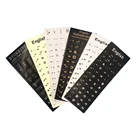
Prices and availability are shown by AliExpress and may vary by variant and delivery country.
Keyboard for typing practice FAQ
Do I need a mechanical keyboard to learn touch typing?
No. Membrane, scissor-switch, laptop, and mechanical keyboards can all be used successfully. Reliable key registration and comfortable technique matter more.
Are soft keys better for beginners?
Keys that can be actuated without unnecessary force can encourage a lighter typing touch. However, the keyboard should still feel controlled and consistent; extremely light keys are not automatically best for everyone.
Is a laptop keyboard good for typing practice?
Yes. A laptop keyboard is completely suitable if it is comfortable and all keys work reliably. For longer sessions, pay attention to screen and keyboard positioning because the screen and keyboard are physically attached.
Should I buy a new keyboard if my fingers get tired?
First reduce practice intensity, check technique, and improve wrist/desk positioning. A different keyboard may help if the current keys are unusually heavy, sticky, or inconsistent, but keyboard replacement is not a substitute for appropriate practice and ergonomics.
Is a full-size keyboard better for learning?
Not necessarily. It is useful if you need a numpad. For normal alphabet typing, tenkeyless and laptop keyboards can be equally suitable as long as the main typing area uses familiar spacing.
Sources and further reading
These references support the workstation, keyboard placement, neutral-wrist and break recommendations in this guide.
Need more detail? Compare what to look for in a full-size keyboard for typing, or explore different types of typing keyboards by size, layout and key mechanism.