

Typing course
60 lessons, from home row onward.
OpenOne workspace for classes, practice, reports and certificates.

Checking your school session…
Create a free institution account, verify your email and start setting up your classes. Already have a TypingTutor.Online email account? Sign in on the school login page to create or open your own institution workspace. No separate administrator activation is needed while public registration is open. Independent email-account students join their class at /classroom/. Students whose teacher created a login use a classroom code, username and password instead. Student profiles do not require an email address.
Register your institutionInstitution / teacher login Student loginCourses, tests and practice for schools, colleges, universities and training centres.
60 lessons, from home row onward.
OpenTimed tests and speed goals.
OpenBuild number-entry skills.
OpenChoose left-hand or right-hand typing.
OpenPlay and practise.
OpenStart with a clear guide to registration, student logins, classrooms, assignments, reports, school certificates, included Premium learner access and support. Read online or keep the free 14-page PDF.
Save a school profile, create a class within the current free limit, and explore assignments and basic results. A limited full-reports trial lets you evaluate teacher reports. The signed-in dashboard shows your current allowance; payment is not required to explore.
Unlock more student seats and classes, full teacher reports and CSV downloads, longer available result history, and institution-issued certificates using your own standards, with optional results, PDF downloads and verification links. Every paid school plan includes Premium learning for the school account holder and covered students: lessons, games, hand guides, full statistics and ad-free practice during the paid term. Compare the packages in School plans & billing. Existing core learning activities remain open.
Create a class, add students or share its code, and publish assignments. Choose a main-course, Kids, Numpad or One Hand lesson, or a target-speed test. Reports show submitted results and learners who still need to practise. Filter by class, student, assignment and date, view progress trends, or print a class summary. CSV and retained history follow the school plan.
Use your teacher’s login card, or join with an email account and the class code. Start an assignment from your dashboard. Your assigned result is sent to the teacher automatically while your ordinary typing progress remains available.
A physical keyboard is recommended for touch-typing lessons. Reports contain names and assignment metrics, not typed passages. Email-account students can leave to remove their shared results. For teacher-managed students, the teacher removes their profile and saved data. Free classroom results are retained for up to 30 days. Paid classroom packages retain up to 365 days of results while covered, with a 30-day export grace period after expiry. The dashboard shows the current free class/student limits and one-time reports trial. Free limits and trial offers may change for future use; existing paid terms are honoured. After the trial, Free keeps basic latest-result reports; full retained-attempt reports and CSV require an active classroom package. Account expiry or deletion may shorten this period. Paid school plans use secure Paddle checkout for a one-time 365-day pass with no automatic renewal.
Explore the typing course · Explore WPM goal tests · Parents and teachers guide
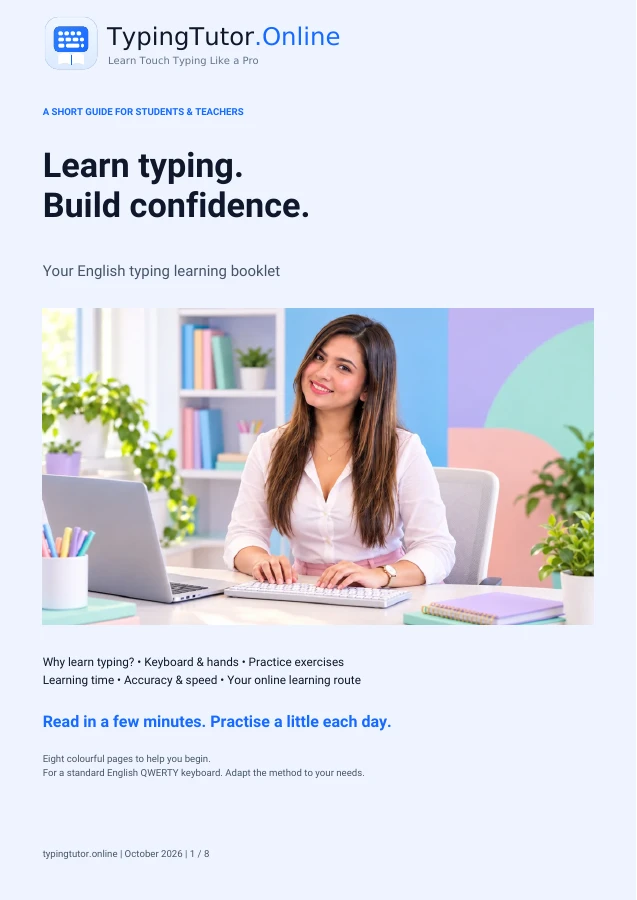
A short, eight-page English PDF for students and teachers: keyboard basics, finger placement, typing exercises, accuracy, speed goals and a printable practice record. Use it with the 7-day starter plan and 30-day tracker, which also offer separate printable worksheets.
Teaching touch typing in schools gives students a practical skill for computer lessons, written assignments and future study. TypingTutor.Online brings browser-based typing lessons, practice tests and teaching resources together. Start with keyboard familiarity, build accuracy and choose a speed goal when the learner is ready.
Use the 60-lesson course to introduce keys gradually. A short warm-up can fit into computing or digital writing lessons. Assign main-course practice from the school dashboard and review the submitted results.
Use the kids course and typing games for kids for age-appropriate practice. Automatic teacher assignment reporting covers main-course, Kids, Numpad and One Hand lessons, plus WPM goal tests. Kids games and independent tests remain individual practice.
Build accurate keyboard skills for essays, presentations, research notes and coding. Our student typing guide explains how to turn practice into a realistic routine.
How keyboard skills fit beside computing, handwriting and digital literacy, with curriculum examples and research sources.
A practical plan for lessons, teaching games, student login cards, assignments and teacher feedback.
Public core lessons, tests and games remain open. School accounts, student seats and report history have separate allowances. Start with free school registration and setup; see your dashboard for current limits. Paid school plans use secure Paddle checkout for a one-time 365-day pass with no automatic renewal.
No separate desktop installation is needed for the browser-based school module. An internet connection is needed for student accounts, assignments and teacher reports. A physical keyboard is recommended for touch-typing practice.
Using technology and locating keyboard keys are different skills. A structured typing program adds demonstrations and practice. Read the educational rationale.
Provision varies by institution and curriculum. Some writing standards include keyboarding, but there is no single worldwide program or required WPM score.
Teachers can combine student typing practice with a clear assessment goal. Assign a main-course lesson to practise particular keys, or assign a WPM goal test with a 1-, 3- or 5-minute duration to review speed and accuracy. Choose a target that matches your class rather than treating one WPM score as suitable for every age or learner.
Students open assigned work from their dashboard. Submitted assignment results are visible to the teacher within the school plan’s reporting allowance. Tests taken independently outside the assignment flow are not automatically submitted to the class.
Before setting an assignment, explore the student lesson guide and student typing tests online. Use the 1-minute, 3-minute and 5-minute tests for independent practice, or the WPM goal tests for your classroom assignment route.
A useful school typing program should have a beginning, a measurable target and an opportunity to practise again. Here is one example teachers can adapt to their class level; it is a teaching suggestion, not a required schedule or a promise that every student will improve at the same rate.
Session: home-row practice and a three-minute assessment. What to record: practice minutes, WPM, accuracy, common difficult keys and the next assigned activity. Do not publish student names or personal results without appropriate school permissions.
Explore the free teaching materials and downloadable worksheets first. School profiles, assignments and reporting are available after email verification, within the current limits displayed in the school dashboard. Students may still use the public lessons and typing tests without a school subscription.
Printable materials: Typing Learning Booklet, 7-Day Starter Plan and 30-Day Progress Tracker.