

What Is Touch Typing? A Simple Guide to How It Works
Touch typing is a keyboard technique in which you learn where the keys are and which fingers should press them, so you can type without repeatedly looking down to search for each letter. The goal is not simply to type fast. It is to make keyboard use more automatic, accurate, and comfortable so your attention can stay on the words, ideas, data, or task on the screen.
Looking for the broader term? Read What Is a Typing Tutor? to see how lessons, practice, games, tests, touch typing, and number/numpad training fit together.
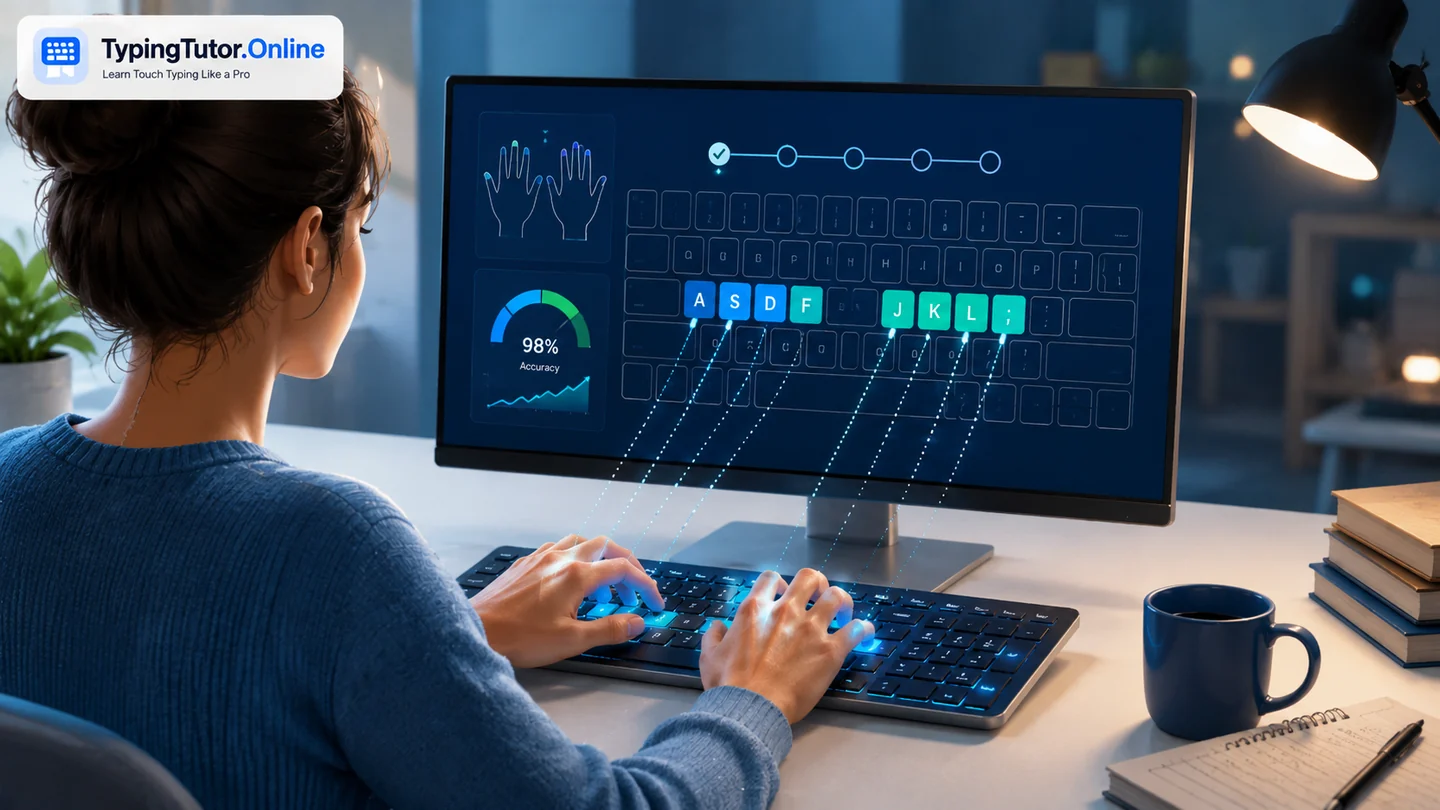
What does “touch typing” mean?
In touch typing, each finger has a predictable area of the keyboard. On a standard QWERTY keyboard, learners normally begin with the fingers resting around the home row: A S D F for the left hand and J K L ; for the right. The raised marks on F and J help you find the starting position by touch.
From that position, the fingers reach to nearby keys and return to their home positions. With repetition, the movements become familiar enough that you no longer need to visually search for every key.
Touch typing is not the same as fast typing
A person can type quickly while looking at the keyboard, and a beginner can use correct touch-typing technique quite slowly. Touch typing describes the method; words per minute describes the speed. Good learning therefore begins with accuracy and reliable finger movement. Speed usually becomes easier to build after the key locations feel familiar.
Why do people learn touch typing?
The skill can be useful whenever a physical keyboard is part of everyday work or study. Students write assignments and research notes. Office workers type email, documents, spreadsheets, forms, and messages. Writers, programmers, support teams, administrators, and many remote workers spend significant time entering or editing text.
The practical benefit is reduced friction. When you do not have to keep moving your eyes between the screen and keyboard, it is easier to follow a paragraph, copy information accurately, or keep a thought in mind while writing.
How a beginner should start
- Learn the F and J anchor keys and a relaxed home-row position.
- Practise a small group of keys before adding more.
- Keep the eyes mainly on the screen; use the tutor keyboard as guidance rather than a place to stare.
- Type lightly and prioritise correct movement over speed.
- Progress from letters to words, sentences, paragraphs, numbers, capitals, and punctuation.
- Use short typing tests periodically to measure improvement.
TypingTutor.Online follows this gradual approach in its guided lessons. If you want to see exactly which finger belongs to each key, open the finger-placement guide.
How long does touch typing take to learn?
There is no single timetable because learners start from different habits and practise at different frequencies. Someone who already knows the keyboard may improve quickly but need time to replace an inconsistent finger pattern. A complete beginner must build the key map from the beginning. Short, regular sessions are generally more useful than occasional marathon practice.
You do not need to wait until the course is “finished” before the skill becomes useful. Home-row confidence, fewer glances at the keyboard, or cleaner common-word typing can already improve daily computer work.
What should you measure?
WPM is useful, but accuracy matters just as much. Repeated errors create extra editing work and may show that a key has not become automatic yet. Track your speed, accuracy, repeated weak keys, and how comfortable it feels to type while looking at the screen. You can use the typing tests for measurement and the practice area for focused repetition.
Is touch typing worth learning?
If you use a keyboard frequently, it is usually a worthwhile foundational digital skill. You do not need an extreme WPM target. The useful goal is to make typing reliable enough that the keyboard fades into the background while you concentrate on your actual work.
Touch typing is typing through learned finger-to-key movements instead of searching visually for each key. Accuracy and key awareness come first; speed is a result that can grow with practice.
Quick questions
Do touch typists ever look at the keyboard?
Experienced typists may glance occasionally, especially for unfamiliar symbols or a different keyboard, but routine letters and common keys are normally entered from learned position rather than visual search.
Should beginners practise speed immediately?
No. Build accurate finger movement first. Pushing speed too early can reinforce mistakes and tension.
Can I learn touch typing online for free?
Yes. TypingTutor.Online provides guided lessons, practice, tests, games, and progress tools that can be used in a browser.