

1-Minute Typing Speed Test
Use the 1-Minute Typing Speed Test for a quick WPM benchmark.
The test tracks typing speed while still measuring accuracy and errors. It is useful for regular check-ins after lessons or Smart Practice.
The TypingTutor.Online Chrome extension includes four focused typing tests for learners who want to measure progress without leaving the extension.
The tests cover both normal keyboard typing and numeric keypad skills. Results stay local in Chrome and can be used to compare practice over time.
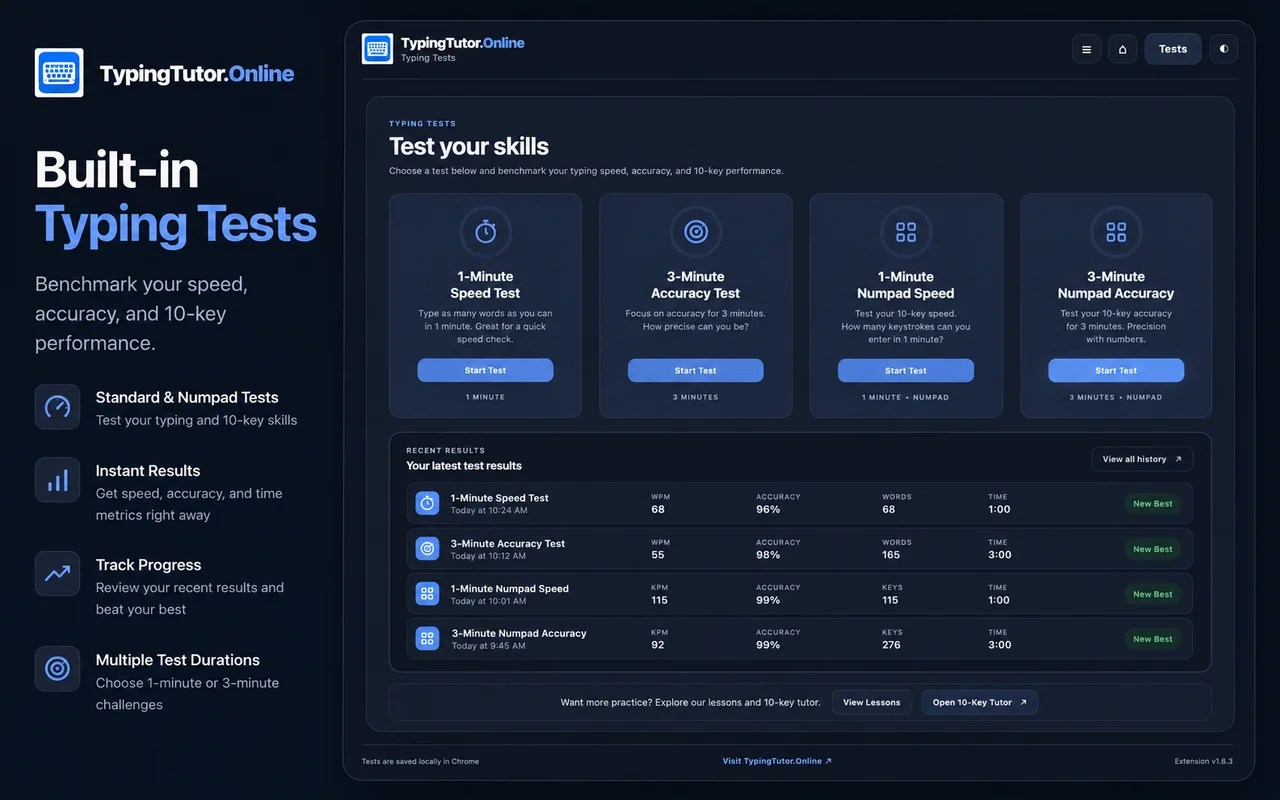
Use the 1-Minute Typing Speed Test for a quick WPM benchmark.
The test tracks typing speed while still measuring accuracy and errors. It is useful for regular check-ins after lessons or Smart Practice.
The 3-Minute Typing Accuracy Test gives learners more time to settle into a natural rhythm.
It is designed to reveal mistakes and weak keyboard keys. Incorrect words can be highlighted so learners can identify where errors occurred.
This test measures physical side-numpad speed in KPM while still tracking accuracy.
It is useful after completing Numpad Tutor lessons or when preparing for numeric data-entry work.
The 3-Minute Numpad Accuracy Test uses realistic number groups, decimals and operators with accuracy as the priority.
Beginners should avoid testing constantly. A better routine is to complete a lesson or practice session first, then use a typing test to measure improvement.
The Chrome extension keeps four quick benchmarks ready inside the extension. Learners who want additional timed tests, paragraph tests, row-focused tests, numeric tests and other formats can optionally explore the larger TypingTutor.Online test library.